Fighting against WPS Office with Defender XDR
How to monitor, hunt, uninstall and block WPS Office with Microsoft Defender XDR & Defender for Endpoint

Some time ago, I was going through Defender XDR at one of my clients, running some regular threat hunting queries, when I came across some interesting network requests to Chinese servers. This led to me making a new, unfortunate acquaintance: WPS Office.
WPS Office is a free office software suite developed by Chinese software company Kingsoft. It's known to be bundled in with some Android phone brands, and is to some a popular choice for editing Word documents without access to Microsoft's Office suite. In addition to this, Kingsoft has received funding from the Chinese government, and their tools are widely used in governmental bodies as an option to the US-owned Microsoft.
An openly Chinese software suite always raises some eyebrows from a security perspective. Don't get me wrong, there isn't anything inherently wrong with Chinese software, but in an enterprise setting it is a risk that needs to be addressed. Especially when the organization is paying for Microsoft products, seeing someone running a Chinese (closed-source) Office clone and opening email attachments with it will start to raise some alarms, at least it did for me.
So after wrestling with the software for some time, I decided to create this deep-dive article for anyone who might run into the same situation in their adventures!
How did we end up here?🤔
There seems to be one common denominator in all cases I can find about WPS Office online or when I spoke to end-users at my client:
No one usually realizes they have WPS Office installed, and none of them know where it came from.
That's always a great starting point 👀
The usual story I heard is that users received a document (in one case, it was from their kids' football team), which ended up with them having WPS installed on their machine. I decided to create a Word document, and shared it to my test machine to see how the software behaves.
The first thing I learned is that WPS Office really tries to get you to share a link to your document, rather than just sending it as an attachment. When someone opens the link, they of course get hit with a prompt to install WPS Office for themselves.
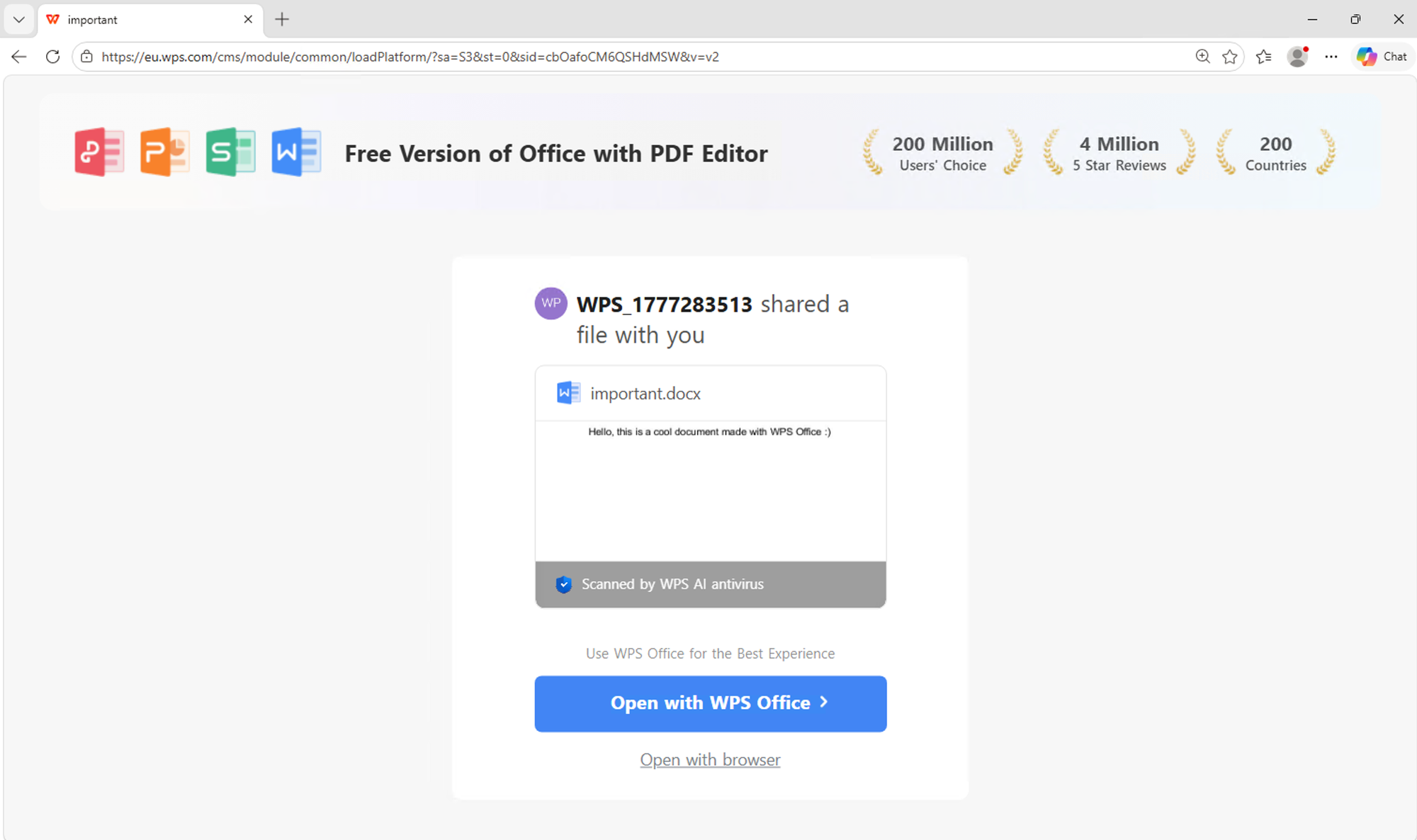
Clicking the big "Open" button automatically downloads the software onto your machine. If you click "open with browser", you end up in a online editor which technically shows you a part of the file. If you want to view it fully or download it, you guessed it - you have to install WPS Office.

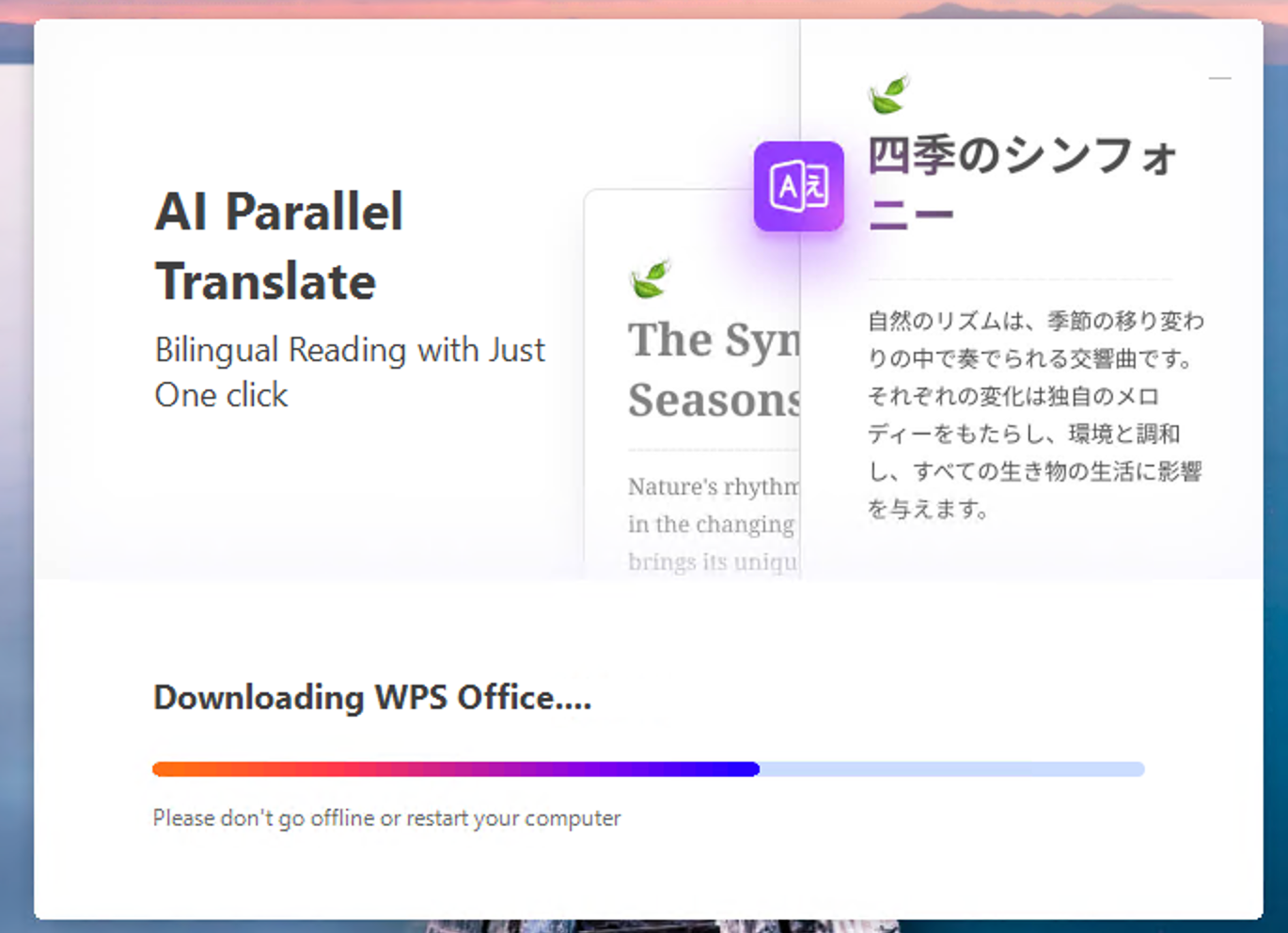
Next the installer runs and drops WPS Office into the user context. This means that it installs under C:\Users\<username>\AppData, which means that it doesn't require Admin consent to install. This is why the software might end up on machines in an environment where end users don't have admin rights on their machines.
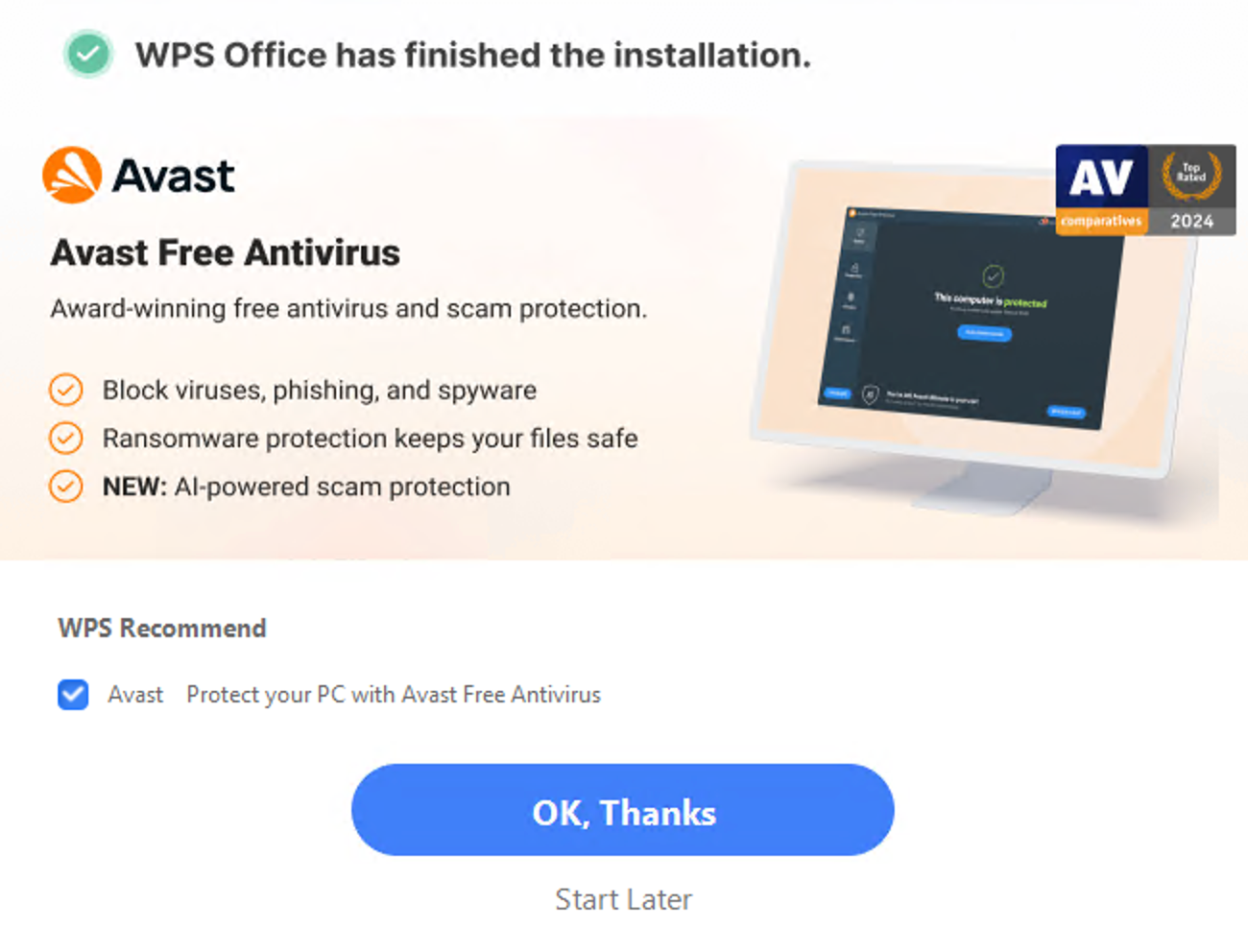
And to make things even better, the installer tries to bundle in Avast AV... What a lovely blast from the past 😆
Where it gets annoying🙄
With the install, WPS Office also associates itself with every file type you can find, office files (.docx, .pptx, .xlsx) with also .pdf and even image files like .jpg and .png! This leads to you ending up opening WPS Office all the time, even when you don't think about it.
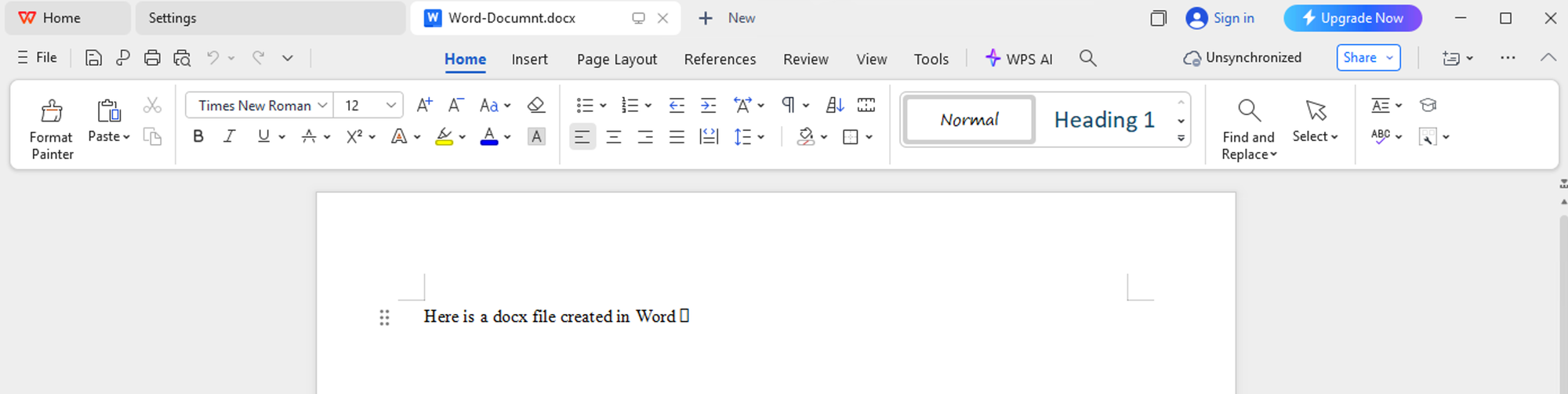
This also leads to some less optimal scenarios from a cybersecurity perspective. Since WPS Office is associated with almost every file format known to man, every attachment opened through Office products like Teams or Outlook also gets piped to WPS Office. In my case, I observed end users opening up tax documents with it, which made at least my skin crawl a bit... 😬
When we found out about the tool in our client environment, the first prompt was to of course go ahead and uninstall the software from the users' computers. It removed the programs, but the uninstaller was (maybe by design) not perfect and leaves a bunch of files and registry entries behind...
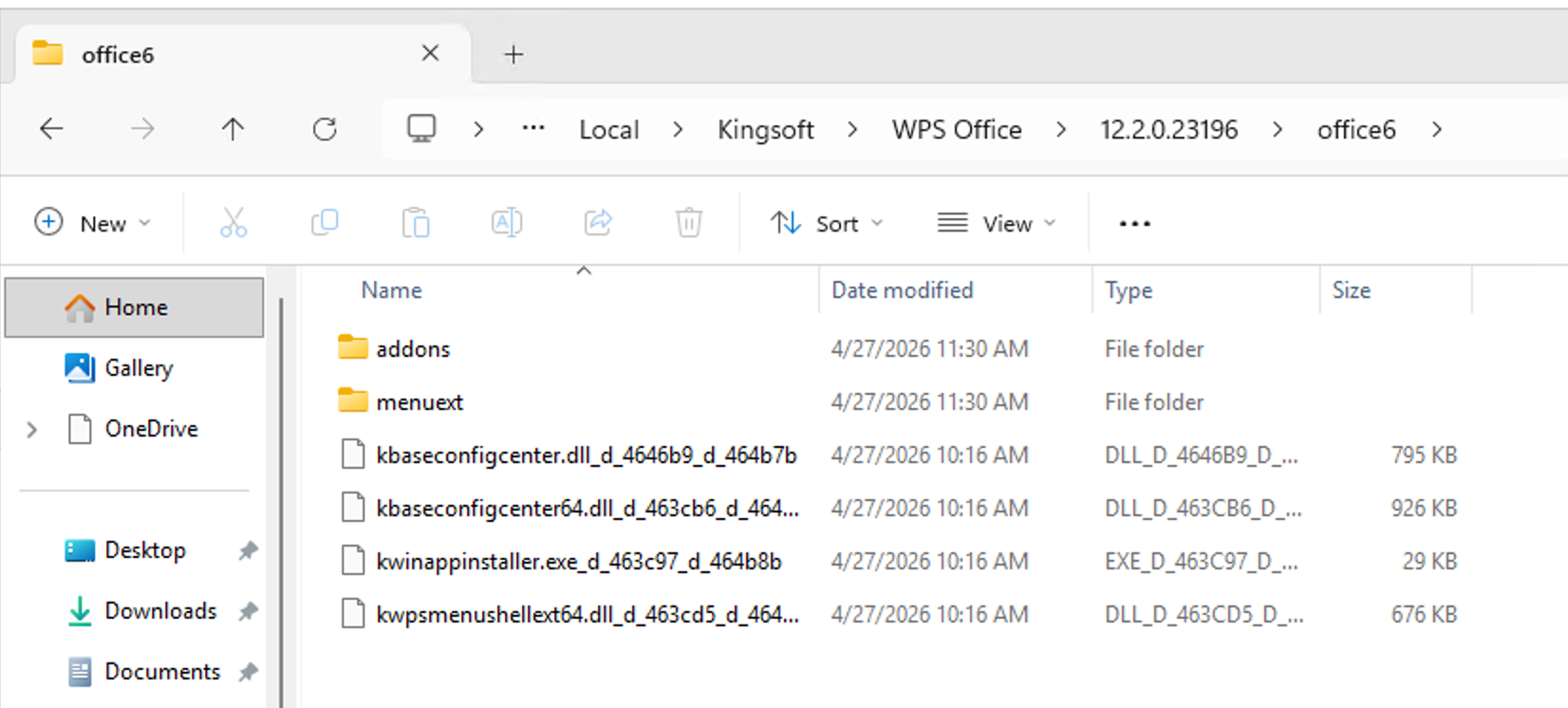
Monitoring and hunting in Defender XDR 🕵🏻♂️
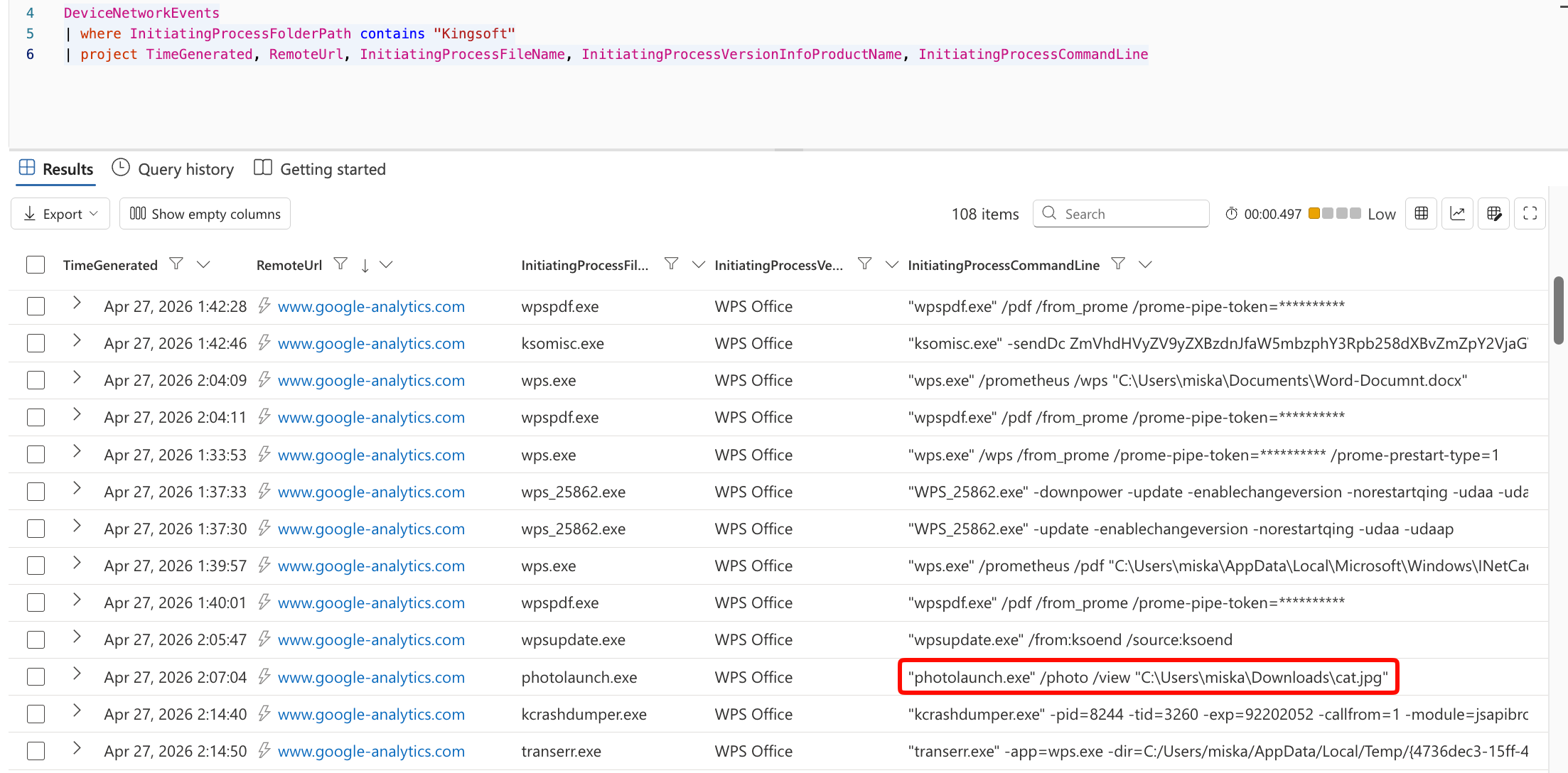
When looking into WPS Office through Defender XDR, we can start to see quite a few interesting quirks of the software. First of all, like many obnoxious software, it's very loud and likes to phone home and to a bunch of third party services. At least I didn't appreciate everything being pushed to Google Analytics, even every opening of image files was logged and pushed to their Analytics services...
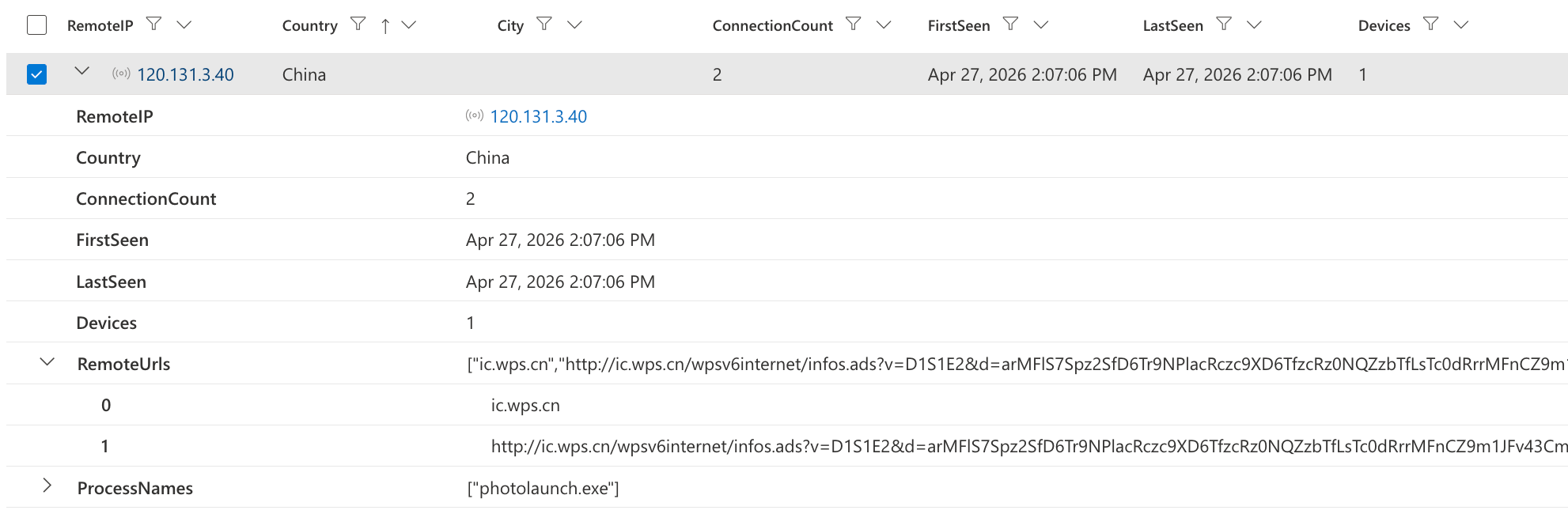
And of course, as lovely as ever, phoning home to China ❤️
One issue with the fact that WPS Office installs in the user context is that it doesn't always reliably show up on the inventories in Defender XDR. This means that without hunting, it might run under the radar in your environment for quite long.
I created some hunting queries for finding these "phone home" connections and processes where WPS Office is running on devices. These are useful for finding out if some devices in your environment are running this software without you knowing. These hunting queries work in Defender XDR and are available in my public GitHub repository:
 Hylje5000
The nuclear option ☢️ Blocking through certificates
In my case, we ended up going for the "nuclear option" after running into issues with the bad uninstaller. We decided to create a block indicator in Defender for Endpoint for the Kingsoft certificate signature, which would lead to all files in our environment signed with that certificate to be immediately blocked and removed if they try to run. It took some time to extract the certificate from the executable (partly since I'm running a Mac...), but we managed to create it in the end.
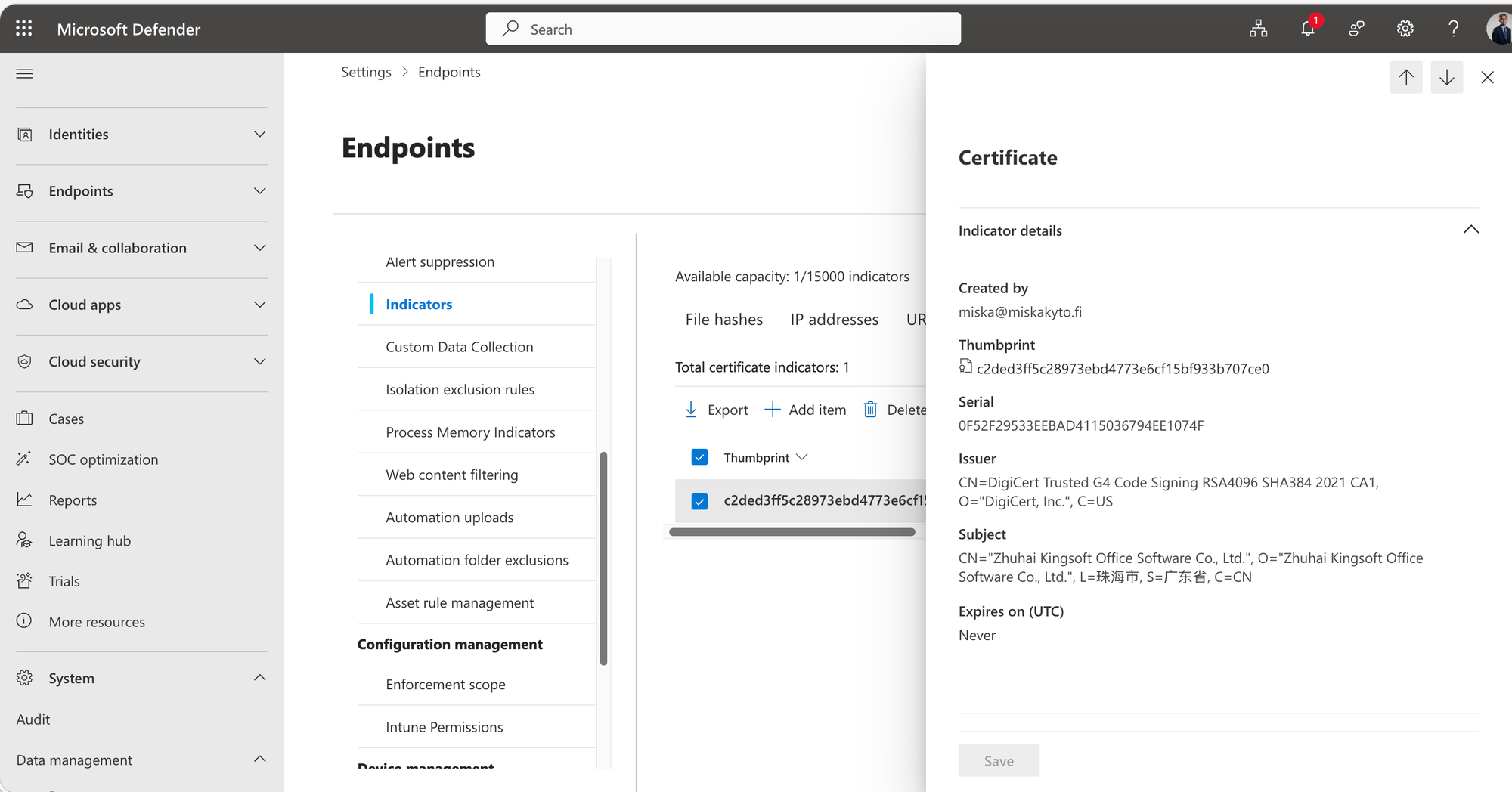
You can add indicators from the Defender-portal when navigating to Settings ➡️ Endpoints ➡️ Indicators and uploading the certificate file in .pem format. The certificate file I extracted is also available from my GitHub repository:
 Hylje5000
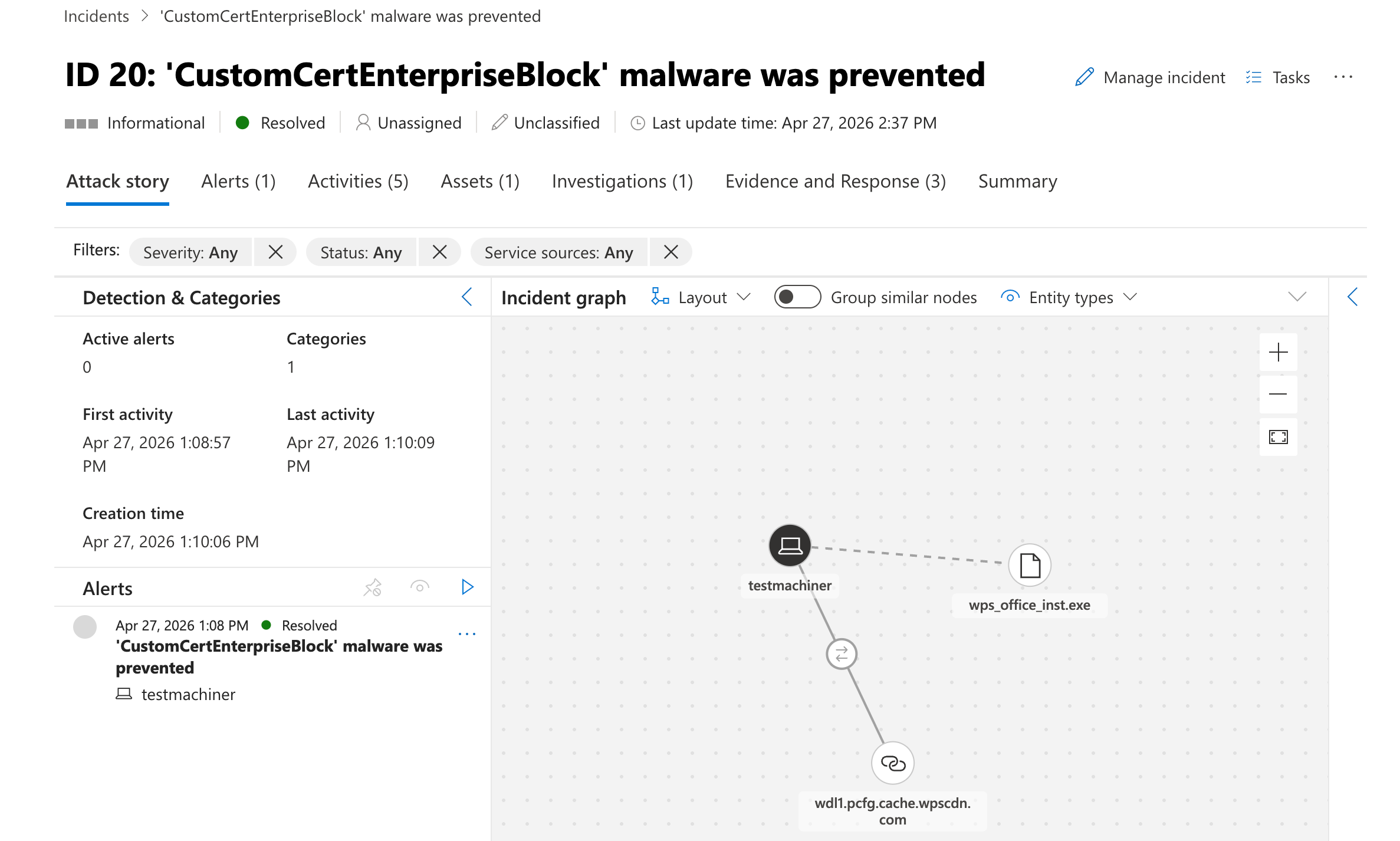
You'll be seeing the following "CustomCertEnterpriseBlock" incidents from time to time when a WPS Office related process tries to run, leading to the files getting quarantined and removed. These are harmless, and end-users barely notice them in our scenarios.
Conclusion
In my opinion, this is a great example of how the day-to-day problems and risks of IT environments aren't always flashy and exciting, rather sometimes they are just pesky, annoying freeware products that keep making their way to your environments no matter how hard you try.
This also serves as a good reminder to do active hunting in your environments and to look into where the software that's running in your environment is coming from.